Set a practice bank
Credits are virtual. Nothing here is a deposit.

Windows x64 / Educational
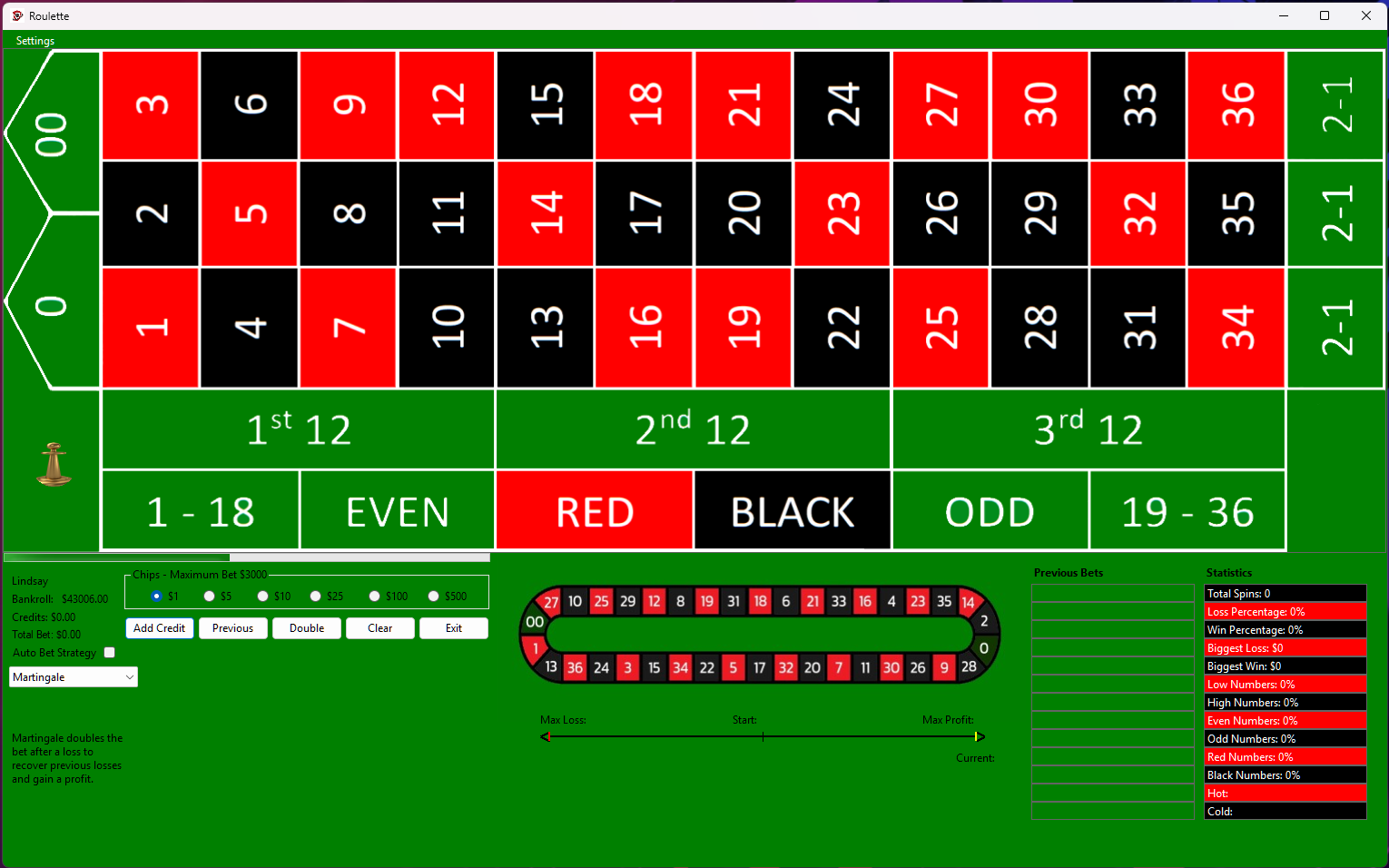
Choose your bets, spin the wheel, and compare how different approaches change your virtual bankroll.

Place chips yourself or use Auto Bet to explore a documented betting system. The statistics panel tracks your results across spins so you can compare a run with what you expected.
The included manual explains the table, bet types, controls, and systems such as Martingale and Oscar’s Grind. Use the simulator to learn how bets behave; the credits have no cash value.
Select the screenshot to inspect the original image, including the table and controls. Use your browser’s Back command to return.
Request the free Windows x64 build by email at support@resqpm.com. Include the name of the game you would like to try.
Credits are virtual. Nothing here is a deposit.
Drop chips on the layout the way a table works: insides, outsides, or a mix. Spin when you are ready.
Use the statistics view after a run. If you turned on Auto Bet, check whether the system did what you thought it would.
A Windows x64 PC with keyboard and mouse. These are local practice tables, using virtual credits only.
No. It is educational practice software. No real money is used or paid out.
No. Request the Windows x64 build. Tank Battle, Bumper Cars, and Truck Town are the browser games.