Set the table
Choose a virtual buy-in and how many AI opponents to seat.

Windows x64 / Educational
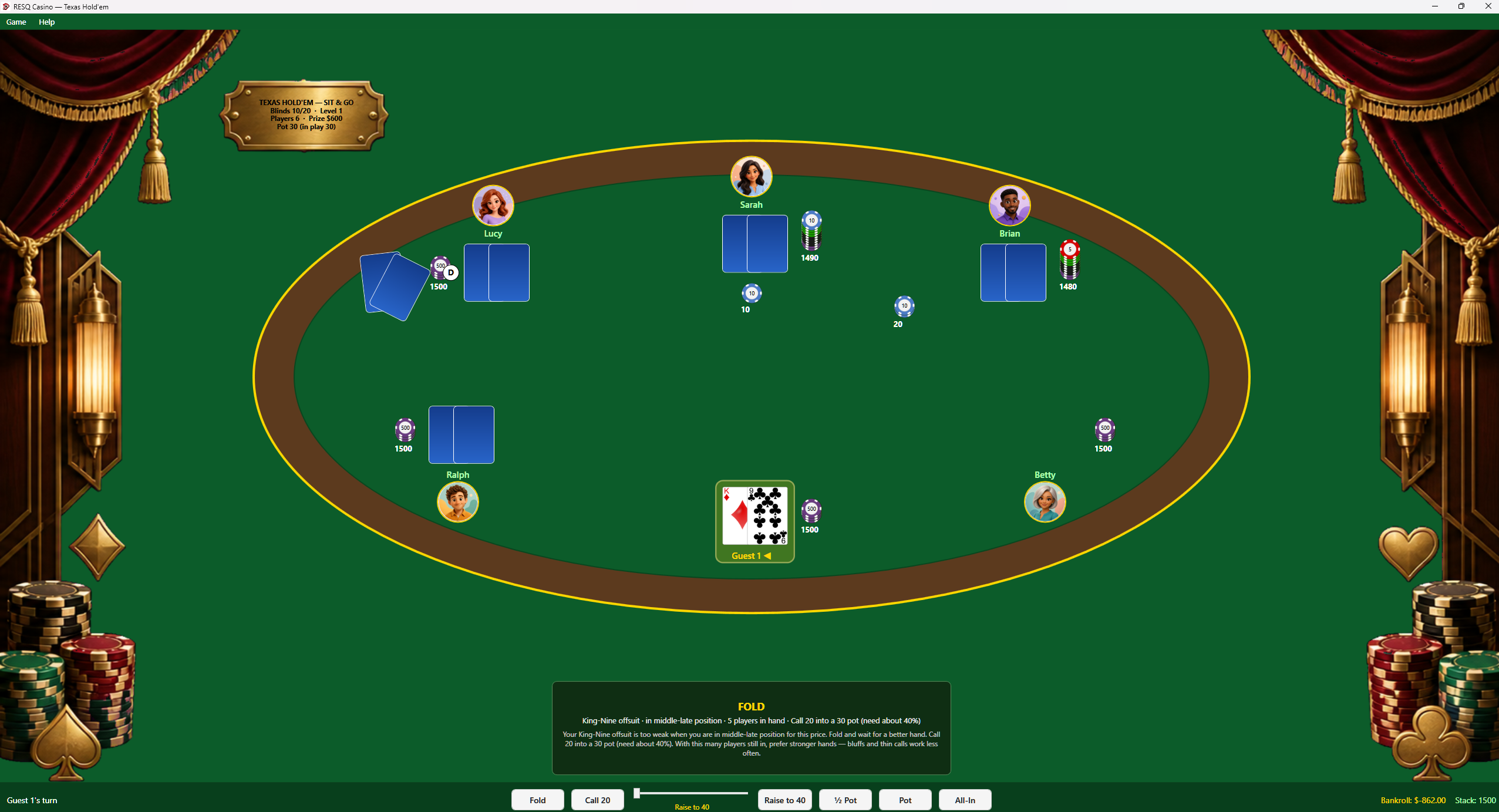
Read the table, choose when to fold or commit your chips, and outlast AI opponents as the blinds rise.

Enter a sit-and-go tournament with equal starting stacks and opponents with different playing styles. Balance the chance to win a pot against the risk of losing your place in the tournament.
The in-app guide explains pot odds, outs, position, and stack-to-pot ratio. Review a decision between hands or watch the remaining players after elimination. Buy-ins and winnings use virtual credits only.
Select the screenshot to inspect the original image, including the table and controls. Use your browser’s Back command to return.
Request the free Windows x64 build by email at support@resqpm.com. Include the name of the game you would like to try.
Choose a virtual buy-in and how many AI opponents to seat.
Fold, check, call, raise, or go all-in. Blinds climb every eight hands.
Watch the rest of the tournament if you want, then start another sit-and-go.
A Windows x64 PC with keyboard and mouse. These are local practice tables, using virtual credits only.
No. Buy-in and prize pool are in-app markers. There is no cash-out.
No. It is a sit-and-go tournament format with escalating blinds.